What is an ATS? The Complete Guide to Applicant Tracking Systems
An Applicant Tracking System sits between your CV and the recruiter. This guide walks through parsing, scoring, common platforms, and what to change on your resume so both software and humans see your strengths.
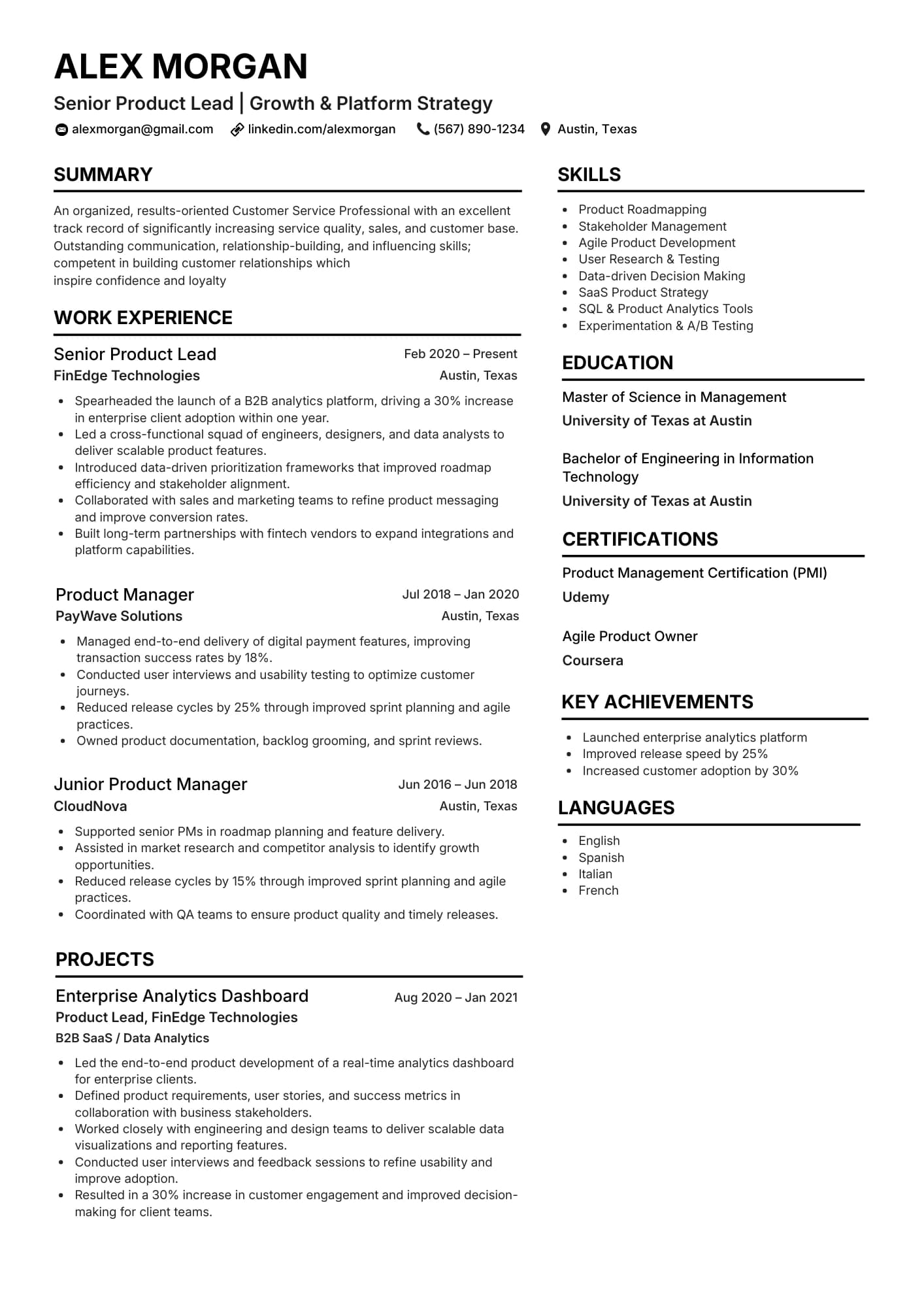
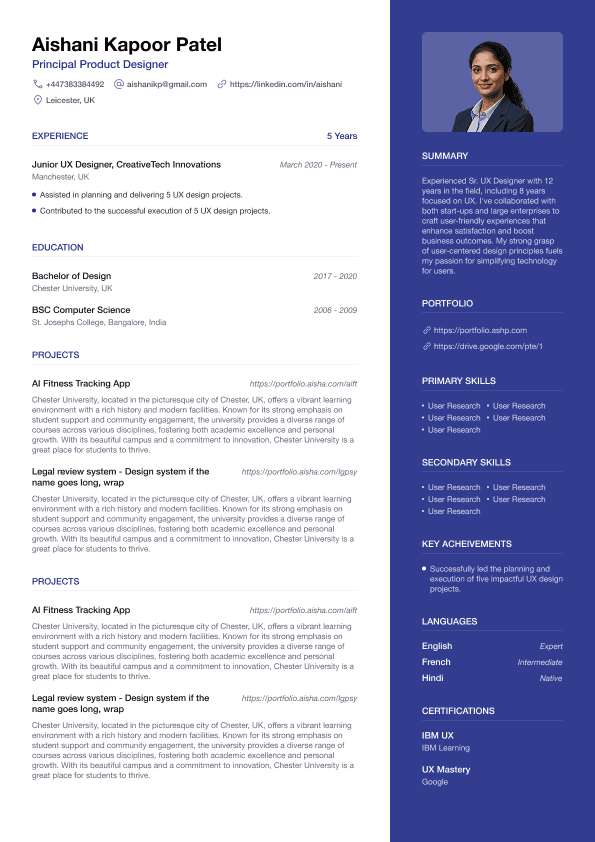
Example layout: simple sections parse reliably in most ATS.
ATS-friendly resume examples
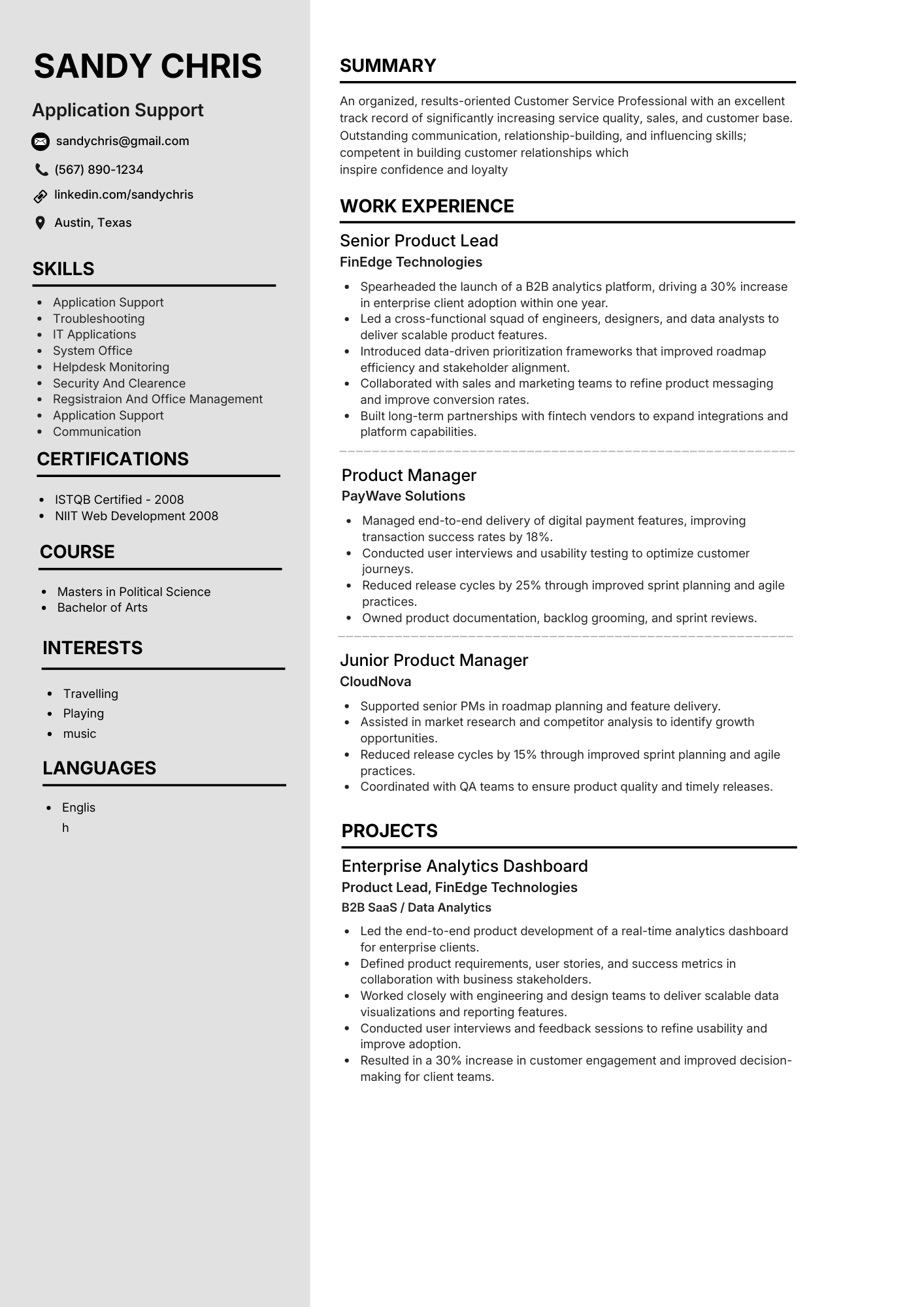
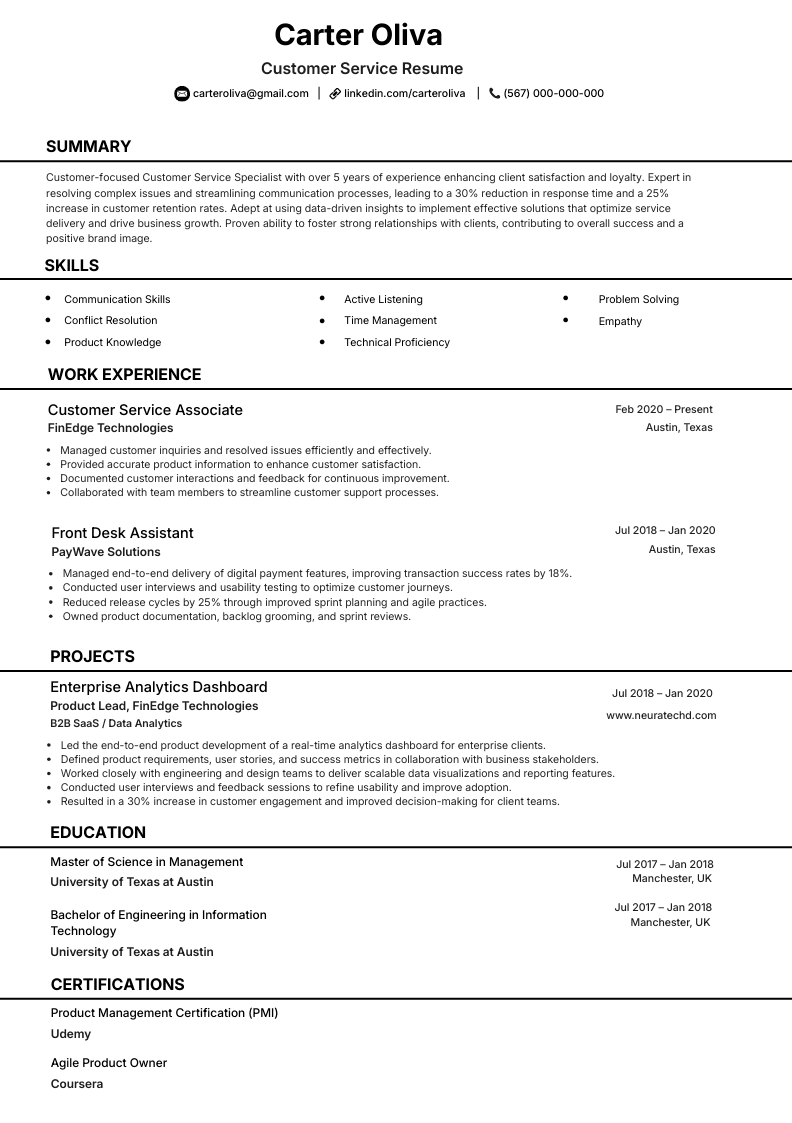
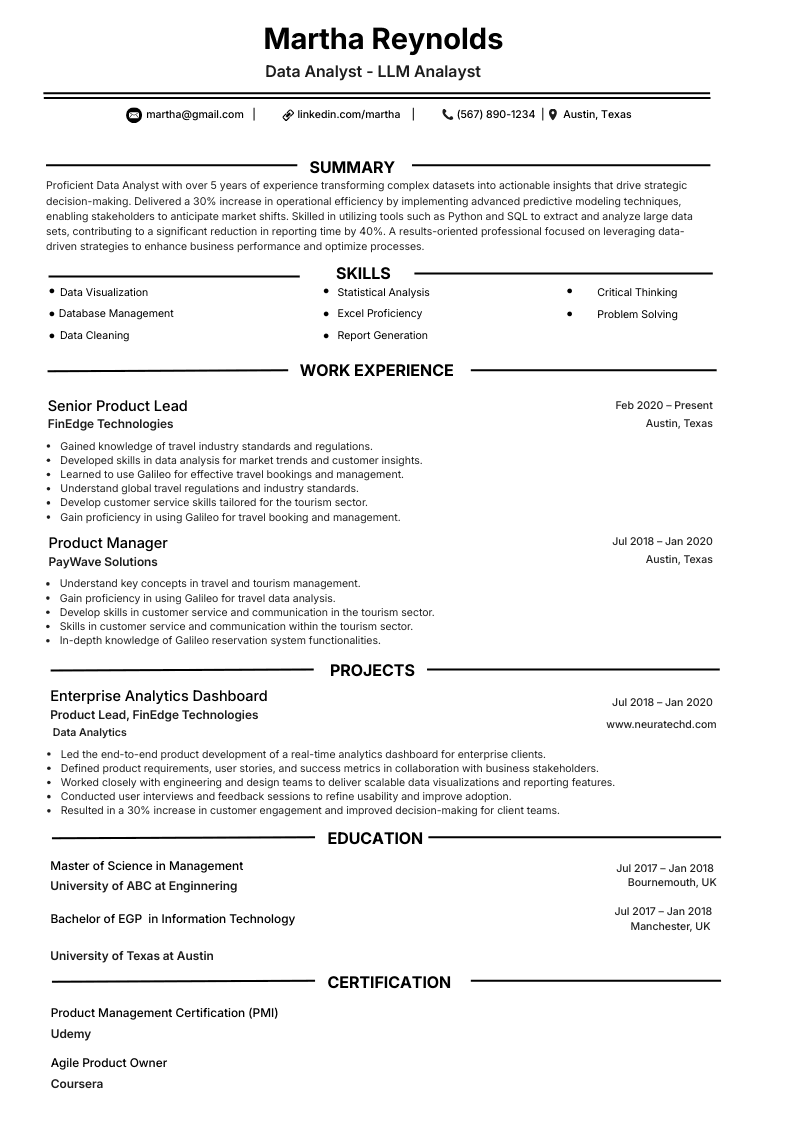
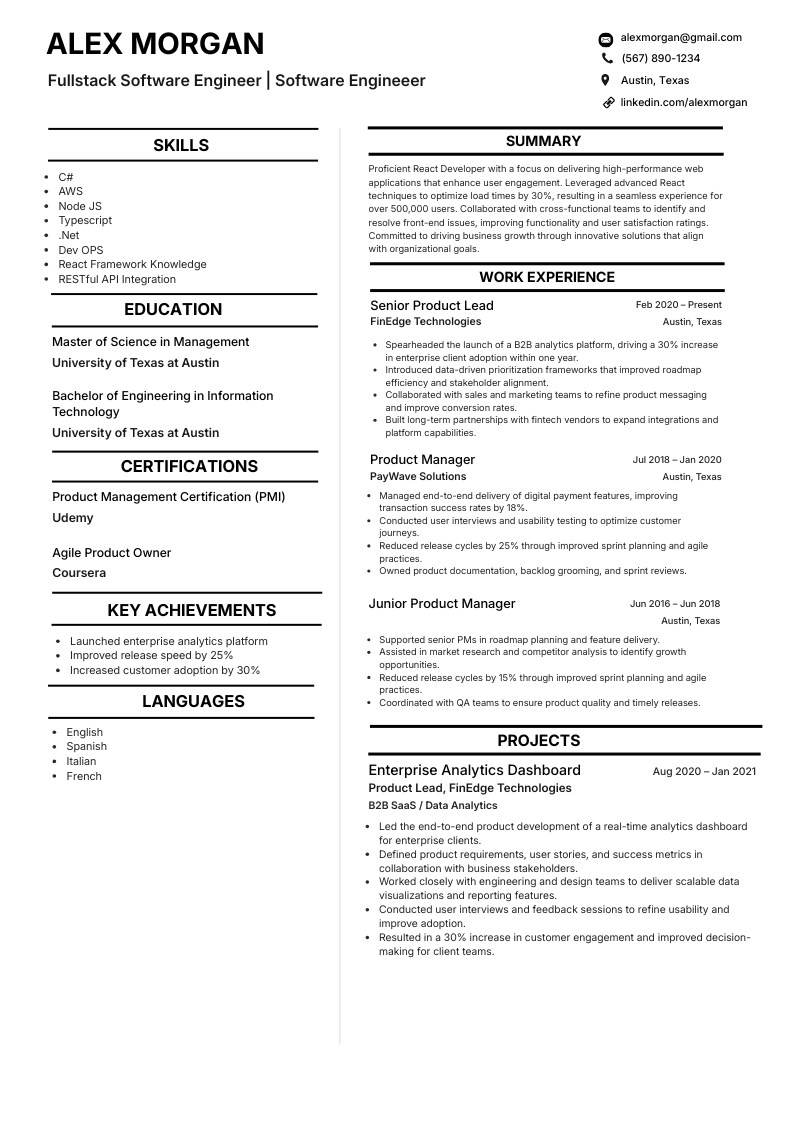
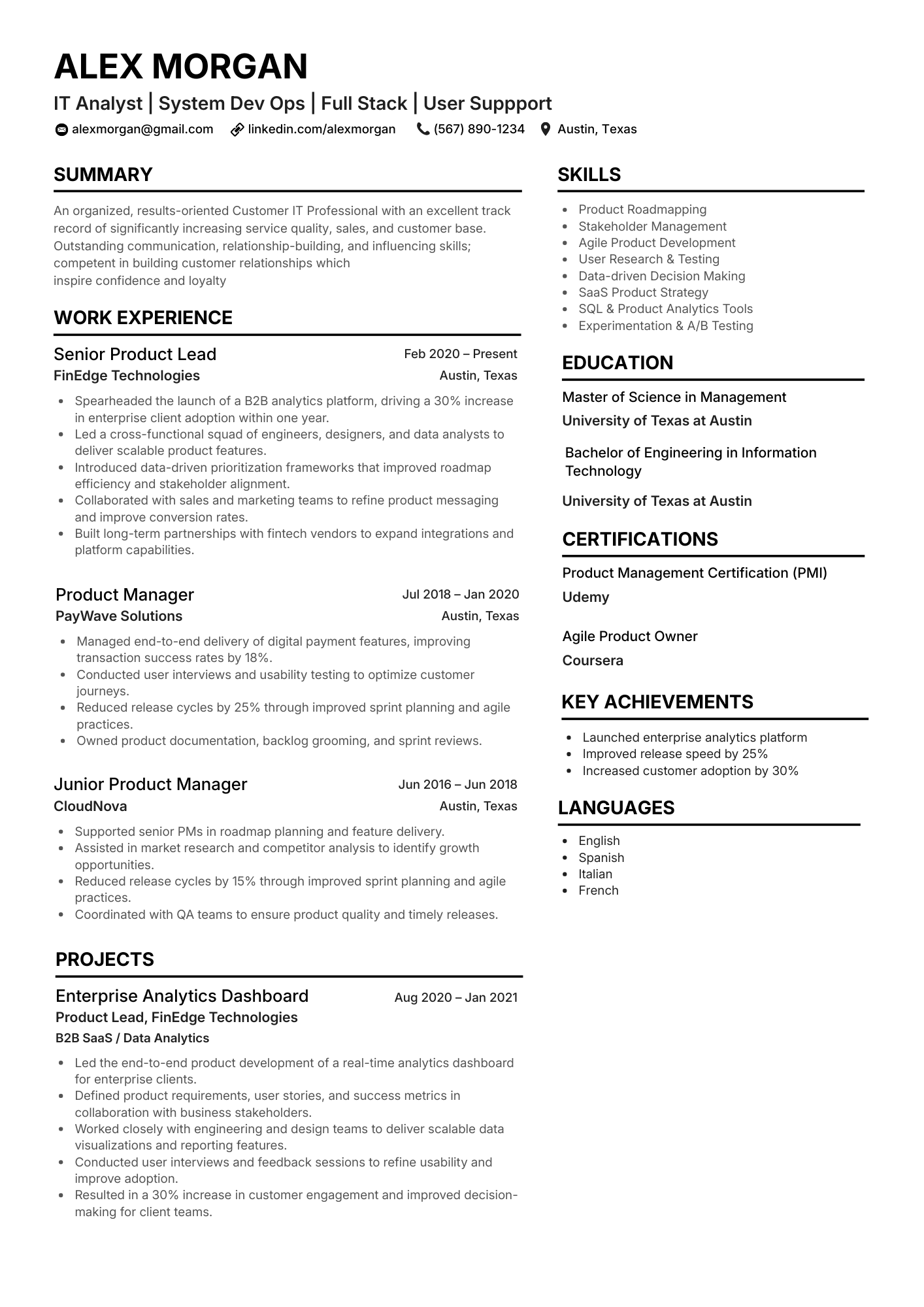
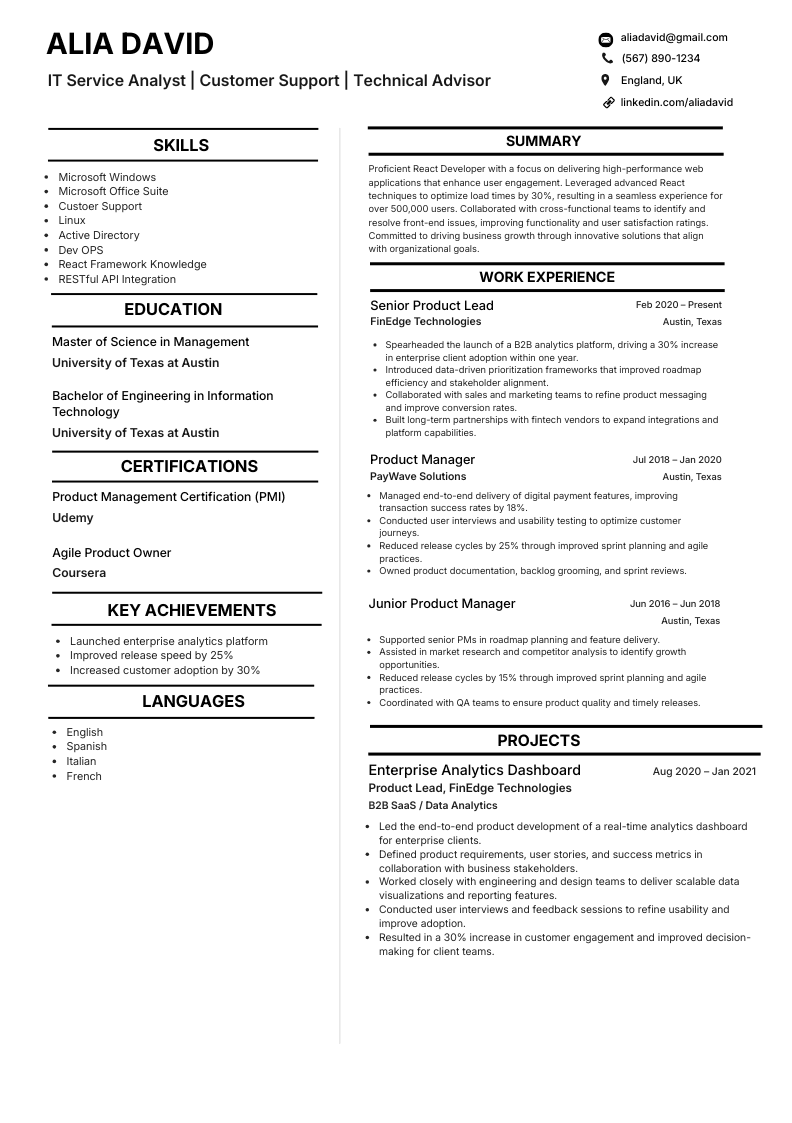
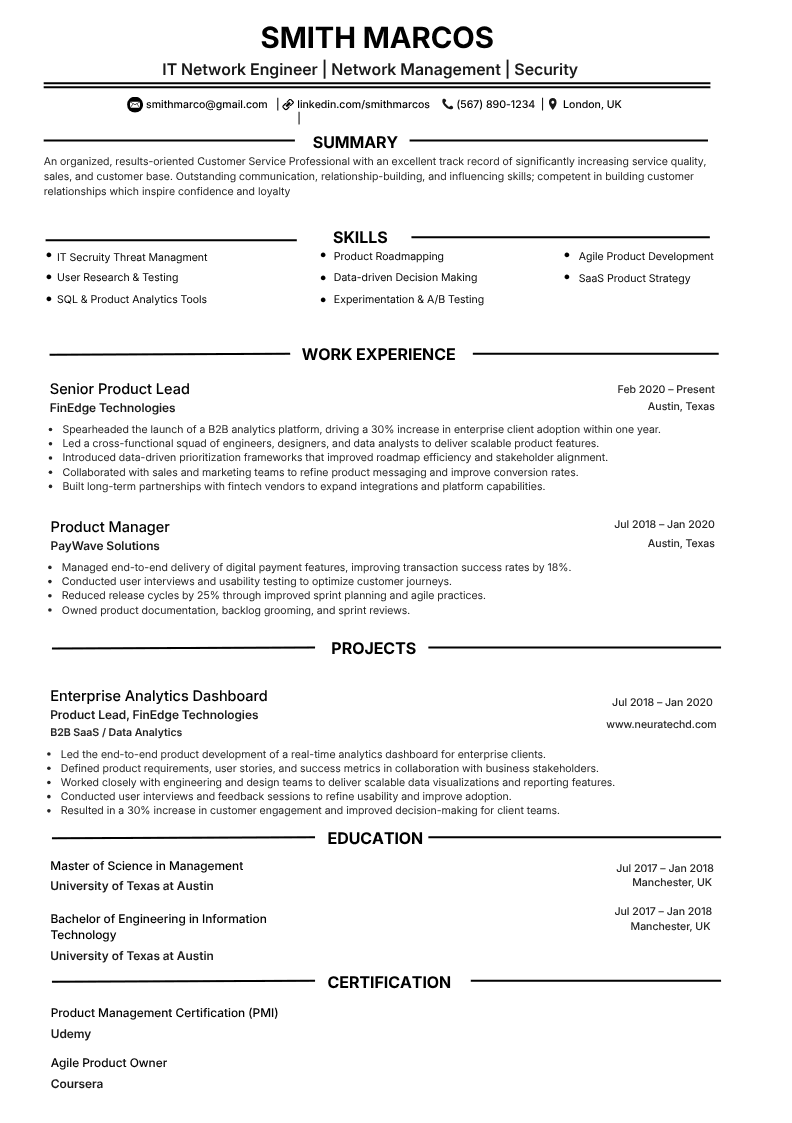
NeuraCV layouts emphasise clear sections and readable type so parsers can map your experience reliably. Browse templates or start from one of these role-style examples.
Quick answer: what is an ATS?
An Applicant Tracking System (ATS) is hiring software that collects applications, turns each resume into structured data, and ranks candidates against the job description before a recruiter opens your file.
The ATS resume reader (parser) pulls text into fields such as employers, titles, dates, and skills. A matcher then scores how closely that profile fits the role. If parsing fails, your experience may never reach the shortlist even when you are qualified.
What is an Applicant Tracking System (ATS)?
One sentence: it is the hiring database and workflow tool that ingests your CV, turns it into structured data, and ranks you against a vacancy before a recruiter spends time in your file.
Your application usually enters an ATS when you submit through a company careers page, a board such as LinkedIn or Indeed, or sometimes by email into an inbox wired to the same system. From there the file is stored, parsed, scored, and surfaced in recruiter views and reports.
ATS (hiring)
Job adverts, inbound applications, screening rules, interview stages, and hire decisions for people who are not yet employees.
HRIS (people data)
Payroll, benefits, time off, and org charts for people already on staff. Useful context so you do not confuse “HR system” with “application inbox.”
What the software does
- Keeps every application for a role in one searchable pipeline.
- Records who applied, when, from which source, and to which requisition.
- Lets recruiters filter, rank, email, and move candidates through hiring stages.
What the parser tries to pull out
- Contact block, employers, titles, dates, education, skills, and certifications.
- Recruiter notes, status changes, and compliance-friendly history on the record.
- Works best on selectable text in PDF or Word. Scanned pages often parse poorly.
Two checks before a human leans in
- Parsing: can the layout be read so your experience lands in the right fields?
- Matching: does your wording overlap with the job description in a way the scorer rewards?
- The tool does not judge culture fit. It tests file quality and honest keyword overlap first.
Rough industry figures (surveys differ by sample)
of Fortune 500 employers use ATS style screening
of CVs filtered out before a typical human review
applications for a single corporate role is common
A Brief History of ATS
The tools you use in 2026 still carry habits from much older software. A short timeline shows why parsers, keyword logic, and scoreboards often feel oddly conservative next to the marketing word "AI."
Modern stacks usually add smarter matching on top of rules written for high-volume job boards and compliance. When you know that layering, odd CV behaviour is easier to predict than to fight blind.
How ATS evolved in four eras
- 1990s
Teams scanned paper trays into shared drives, then logged candidates as rows in a database. The win was searchable filing, not automated ranking.
- 2000s
Monster and CareerBuilder flooded inboxes. ATS vendors answered with Boolean search, keyword flags, and saved searches so recruiters could shrink a pile before opening files.
- 2010s
Greenhouse, Lever, Workday, and peers brought multi-tenant SaaS to mid-sized firms. Attachments were parsed into profiles, and match scores sat next to every requisition by default.
- 2020s onward
NLP suggests synonyms and skills from context, yet hiring teams still lean on structured fields, audit trails, and overlap with the live job text. Clean sections still beat clever layout tricks.
Keyword-heavy rules from the 2000s still sit underneath many products. That same intake-to-shortlist pipeline is what the next section walks through step by step, from submit to recruiter screen.
How an ATS Works: The Step-by-Step Process
How the ATS Resume Reader Works
When you click Submit, your resume starts a predictable journey through the ATS pipeline. Here is exactly what happens at each stage.
Glossary (quick reference)
- Parser
- Software that reads your file and maps text into database fields.
- Requisition
- The approved job opening in the ATS, linked to the live advert and score rules.
- Match score
- A ranking signal from comparing your profile to the job description.
- Structured profile
- The record the ATS builds after parsing, which recruiters search and filter.
- JD
- Job description text the matcher uses as the source of required and preferred terms.
Your resume's journey through an ATS
Submission
You apply online
Parsing
Text is extracted
Matching
Keywords scored vs JD
Ranking
Candidates scored
Human Review
Top candidates seen
Step 1: Submission
You submit your resume through a company career page, job board, or recruitment email. The file, usually .docx or PDF, is uploaded to the ATS server and stored as a candidate record. The system logs the submission date, source channel, and job ID automatically.
Step 2: Parsing
The ATS parser extracts text from your file and maps it to structured fields: name, phone, email, job titles, employers, dates, education, certifications, and skills. This is where formatting matters most. Tables, text boxes, two-column layouts, and graphics can confuse the parser, so entire sections may be missed or misread.
Step 3: Keyword matching
The ATS compares your extracted profile against the job description. It checks for skills, qualifications, titles, and required terms. Traditional systems rely on exact or near-exact matches. AI-powered systems use natural language processing to understand synonyms and context, but keywords from the job ad still drive the majority of your score.
Step 4: Scoring and ranking
Candidates receive a match score, often a percentage, and are ranked. Recruiters typically filter by score thresholds (e.g. show only candidates scoring above 70%) or simply review the top 20 to 25% of applicants. Candidates below the threshold may never be seen, regardless of actual qualifications.
Step 5: Human review
A recruiter sees the shortlisted candidates in a dashboard view: not your original document design, but a structured data display. They can search, filter, add notes, schedule interviews, and move candidates through stages. Your original formatting is largely irrelevant at this point; what matters is the accuracy of the parsed data and your score.
Anatomy of an ATS: Core Features Explained
Modern ATS platforms are far more than resume filters. They manage the hiring workflow from job posting through interviews to offer, with compliance and reporting woven in.
Below are six modules you will see under different product names. Treat it as a mental map of where your CV data lives after you press submit.
Six modules most stacks include
Job Requisition Management
Create and publish job postings to multiple boards at once. Required and preferred qualifications flow straight into the scoring rules for that role.
Resume Parser
Pulls structured data out of uploads. Parsing quality varies by vendor: modern AI-backed engines tolerate more layout variation than older rule-based parsers.
Candidate Screening and Scoring
Scores applicants against the job description, applies pass or band thresholds, and feeds ranked shortlists to recruiters who live inside the same tool.
Interview Scheduling
Syncs with Google Calendar, Outlook, and similar services so candidates and hiring managers pick slots with fewer email threads.
Communication Hub
Centralises emails, status updates, rejection notices, and offer letters so every touchpoint stays on the record for audits and disputes.
Analytics and Reporting
Surfaces time-to-fill, cost-per-hire, source quality, and funnel drop-off so HR can defend spend and tune the process.
Why Companies Use ATS
Employers buy ATS for throughput, consistency, and defensibility. Candidates feel the product as faster triage, not as a personal obstacle.
Popular requisitions routinely draw hundreds or thousands of applicants. Household-name employers can see far higher spikes. No team can read every file by hand and still defend fair, timely decisions, which is why automation moved from optional to default.
Without an ATS
- Manual triage burns days before hiring managers see a shortlist
- Screening quality swings with recruiter workload and memory
- Early decisions live in heads instead of logged, shared criteria
- Candidate files scatter across inboxes and ad hoc folders
- Compliance requests for evidence turn into archaeology projects
With an ATS
- Automated first pass clears huge queues in minutes, not days
- JD-linked scoring applies one rubric across the whole applicant pile
- Structured stages leave comparable notes recruiters can search later
- One candidate record replaces forwarded attachments and mystery CCs
- Timestamped actions export when HR, legal, or regulators ask for proof
Compliance and retention
Finance, healthcare, and public-sector buyers must show who advanced, who was rejected, and why. An ATS stores that narrative automatically instead of rebuilding it from scattered email threads.
- Immutable-style timelines for screening and interview decisions
- Policy-driven retention of applications, notes, and outcomes
- Faster responses to audits, disputes, and internal HR reviews
That single system of record is why your CV rarely stays a casual attachment once it hits the official portal.
How ATS Affects Your Job Search
For job seekers, ATS is the first and most consequential filter. Before a recruiter ever reads your name, your resume has been parsed and scored. Research consistently shows that around 75% of resumes are filtered out by ATS before a human sees them. Many of those candidates were genuinely qualified — they just had resumes that did not parse correctly or lacked the right terminology.
The average recruiter spends only 6–7 seconds reviewing a resume that does make it through. That means you have two separate hurdles: passing the machine, then winning the human review. Optimising for ATS does not mean dumbing down your resume — it means making sure your genuine experience is accurately extracted and matched.
Real-world example
A candidate applies for a "Project Manager" role with 8 years of experience. Their resume uses a two-column layout with a skills table on the left and experience on the right. The ATS parser reads left-to-right but merges both columns into scrambled text. The system misses their job titles entirely and scores them near zero. A recruiter never sees the application. The fix? A single-column layout — same content, completely different outcome.
Common ATS Platforms You Will Encounter
Different companies use different ATS platforms. The platform affects how your resume is parsed and displayed to recruiters. Here are the most widely used systems you are likely to encounter when applying to jobs.
| Platform | Typical users | How to identify |
|---|---|---|
| Workday | Large enterprises, healthcare, finance | URL contains myworkdayjobs.com |
| Greenhouse | Tech companies, growth-stage startups | URL contains greenhouse.io |
| Lever | Mid-market companies, SaaS firms | URL contains jobs.lever.co |
| Taleo (Oracle) | Fortune 500, government | URL contains taleo.net |
| iCIMS | Enterprise, retail, manufacturing | URL contains icims.com |
| BambooHR | SMBs, HR-first companies | Portal via bamboohr.com |
| Workable | Growing businesses, agencies | URL contains workable.com |
| SmartRecruiters | Enterprise and high-volume hiring | URL often contains smartrecruiters.com |
| Jobvite | Mid-market and distributed teams | URL often contains jobvite.com |
How to Optimize Your Resume for ATS
ATS optimization is not about tricking the system. It is about making sure your genuine experience is accurately captured and correctly matched to the role. Follow these steps consistently and your resume will clear most automated screening filters.
- 1
Use a single-column, clean layout
Avoid tables, text boxes, multi-column designs, and graphics in critical sections. A clean, single-column layout ensures the parser reads your content in the correct order. Use standard fonts like Arial, Calibri, or Helvetica at 10–12pt.
- 2
Use standard section headings
Label your sections with universally recognised terms: "Work Experience", "Education", "Skills", "Certifications", "Summary". Creative headers like "My Journey" or "What I Bring" confuse parsers and may cause entire sections to be missed.
- 3
Mirror keywords from the job description
Read the job posting carefully and identify required skills, tools, qualifications, and job-specific terminology. Integrate those exact terms naturally into your bullets, skills section, and summary. Do not keyword-stuff — the text still needs to read clearly for a human.
- 4
Keep contact information in the document body
Do not place your name, email, phone number, or LinkedIn URL in a document header or footer. Many ATS parsers skip these areas entirely, leaving your contact details blank in the candidate profile.
- 5
Submit in the right file format
Unless instructed otherwise, .docx or a selectable-text PDF are the safest choices. Avoid scanned PDFs, .pages files, or image-only exports — these are often completely unreadable by ATS parsers.
- 6
Tailor your resume for each application
Keep a master resume and create a tailored version for each role. Adjust the language in your summary and bullets to match the job description. A generic resume rarely ranks well because keyword overlap will be low.
- 7
Test before you submit
Run your resume through a free ATS checker before applying. This shows you how the system parses your document — which sections were found, which were missed, and where keywords are weak. Fix any issues, then apply with confidence.
Pre-submit checklist
- Single-column layout, no tables or text boxes
- Standard section headings (Experience, Education, Skills)
- Contact info in body — not header or footer
- Keywords from the job description integrated naturally
- File saved as .docx or selectable-text PDF
- Resume tested with an ATS checker
- Version tailored for this specific role
ATS Myths Debunked
There is a lot of misinformation about ATS circulating online. Here are the most common myths — and what is actually true.
Myth: Stuffing your resume with keywords will boost your score.
Reality: Keyword stuffing can backfire. Modern AI-powered ATS detect unnatural repetition and may penalise it. More importantly, a recruiter will spot it immediately and reject the application. Use keywords where they honestly apply.
Myth: ATS never makes mistakes — it is objective.
Reality: ATS systems make parsing errors regularly. Two-column layouts, unusual fonts, and non-standard formats cause sections to be missed or misread. AI systems trained on biased data can also perpetuate bias at scale. ATS reduces certain errors but introduces others.
Myth: A colourful, designed resume stands out.
Reality: Creative designs often break ATS parsers. The recruiter who eventually reads your resume sees your parsed data in a standardised dashboard view — not your original design. Invest in clear, accurate content, not visual complexity.
Myth: Small companies do not use ATS.
Reality: Many small businesses use ATS features built into job boards like LinkedIn, Indeed, and Workable. Even if a small company does not have a standalone ATS, the job board itself filters and ranks applications before forwarding them.
Myth: A high ATS score means you will get an interview.
Reality: A high score increases the probability of being seen, but the recruiter still makes the final screening decision. Culture fit, salary expectations, and current business needs all factor in at the human review stage.
The Future of ATS Technology
2026 roadmaps cluster around smarter matching, tighter governance, and kinder apply flows. None of that replaces the old rule: software still has to read your file before it can score it.
Semantic assist, same parsing gate
Roadmaps lean on synonym expansion, skill inference, and recruiter-side drafting aids built over classic JD keyword rules. If the parser still misreads your layout, none of that upstream intelligence sees your experience. Clean sections and selectable text stay the gate.
Compliance sells alongside features
EU AI Act-style scrutiny and regional privacy rules push buyers to demand audit trails, bias testing evidence, and documented human override. Procurement teams now weigh defensibility next to time-to-fill when they renew enterprise contracts.
Candidate UX becomes table stakes
Mobile-first apply flows, clearer status pages, and less radio silence after submit are moving from marketing slides into core product. Portals that load fast and accept predictable file types quietly reward the same plain resumes parsers already handle best.
Your playbook stays deliberately boring
Standard headings, one main column for career narrative, honest overlap with the advert, and a quick plain-text preview before you send beat chasing opaque vendor tricks. Those habits survive dashboard redesigns and model upgrades.
Treat every send as two steps: confirm machine readability (layout, headings, plain-text sanity), then tune honest overlap with the role. When you are ready to stress-test the first step, run your file through NeuraCV’s free ATS check.
Make Sure Your Resume Passes ATS — For Free
NeuraCV is built to help you create resumes that parse correctly, rank well, and reach recruiters. Test your existing resume or build a new one with our ATS-optimised tools.
Author & Expert Review
Sinoy Deveassy
AI Expert & SEO Engineer
Over 15 years of experience in AI-driven recruitment technology and search optimisation, bridging the gap between how systems work and how people use them.
"Understanding ATS is the single most actionable thing a job seeker can do to improve their application success rate. The technology is not the enemy — confusion about how it works is."Meet our experts
Frequently Asked Questions
Quick answers on ATS and applicant tracking systems
ATS stands for Applicant Tracking System. It is software used by employers to collect, organize, scan, and rank job applications so recruiters can identify the most qualified candidates without manually reviewing every submission.
ATS system meaning: an ATS (Applicant Tracking System) is software that employers use to collect, parse, score, and rank job applications so recruiters can shortlist candidates without reading every resume manually. The "system" is the combination of database, parser, and matching logic that screens your resume before a human sees it.
ATS technology dates back to the 1990s, when early versions were used mainly by large enterprises to store paper-based applications in digital databases. By the 2010s, cloud-based platforms made ATS accessible to mid-sized and small businesses. Today, over 75% of all companies use some form of ATS.
Not every company uses an ATS, but the majority do. Studies show 98% of Fortune 500 companies and around 75% of all employers use some form of applicant tracking software. Even many small businesses now rely on lightweight ATS tools embedded in job boards like LinkedIn or Indeed.
An ATS typically stores your contact details, work history, education, skills, certifications, application date, source (e.g. LinkedIn, company site), and any notes added by recruiters during the screening process. It may also log every interaction — emails, interview scheduling, and rejection decisions.
Most modern ATS can read text-based PDFs. However, image-based PDFs (scanned documents) are often unreadable to parsers. The safest formats are .docx and selectable-text PDF. Always follow the employer's instructions regarding file format.
Yes, most ATS parse and store cover letters as part of the application. While cover letters are less frequently scored by automated systems, they are available to recruiters once your application passes initial screening. Keywords in your cover letter can sometimes contribute to your overall match score.
ATS parsing is the process by which the system extracts structured information from your resume — name, contact, work history, skills, education — and maps it to database fields. If your resume does not parse correctly (due to tables, graphics, or unusual formatting), your experience may be missed entirely, dropping your match score even if you are qualified.
Look at the URL of the application portal. Workday applications often include "myworkdayjobs.com", Greenhouse uses "greenhouse.io", Lever uses "jobs.lever.co", and Taleo often shows "taleo.net". You can also check the company's LinkedIn page under "Jobs" for clues about their HR tech stack.
In jurisdictions covered by GDPR (EU/EEA) and similar privacy regulations, you have the right to request a copy of personal data a company holds about you, including ATS records. Submit a Subject Access Request (SAR) to the company's HR or data protection officer.
No. A high ATS score increases your chances of being seen by a recruiter, but it does not guarantee an interview. The recruiter still reviews shortlisted applications and makes the final call based on overall fit, experience level, culture alignment, and current hiring needs.
ATS resume software (Applicant Tracking System software) is the technology employers use to collect, parse, score, and rank job applications. It acts as an ATS resume reader: it extracts your name, experience, skills, and education from your resume and matches them against the job description so recruiters can shortlist candidates without reading every file manually.
The ATS resume reader (parser) scans your resume and pulls structured data into fields—contact info, work history, education, skills. It then compares that data to the job posting and assigns a match score. If your formatting confuses the reader (e.g. tables, graphics, non-standard headings), some information may be missed and your score drops even if you are qualified.
